IPTV Box Guide 2026 — Which One to Buy & How to Set It Up
Firestick, Android TV box, NVIDIA Shield, Formuler or MAG: which IPTV box suits you, what you can skip, and a five-minute setup walkthrough.
Last updated: August 2026
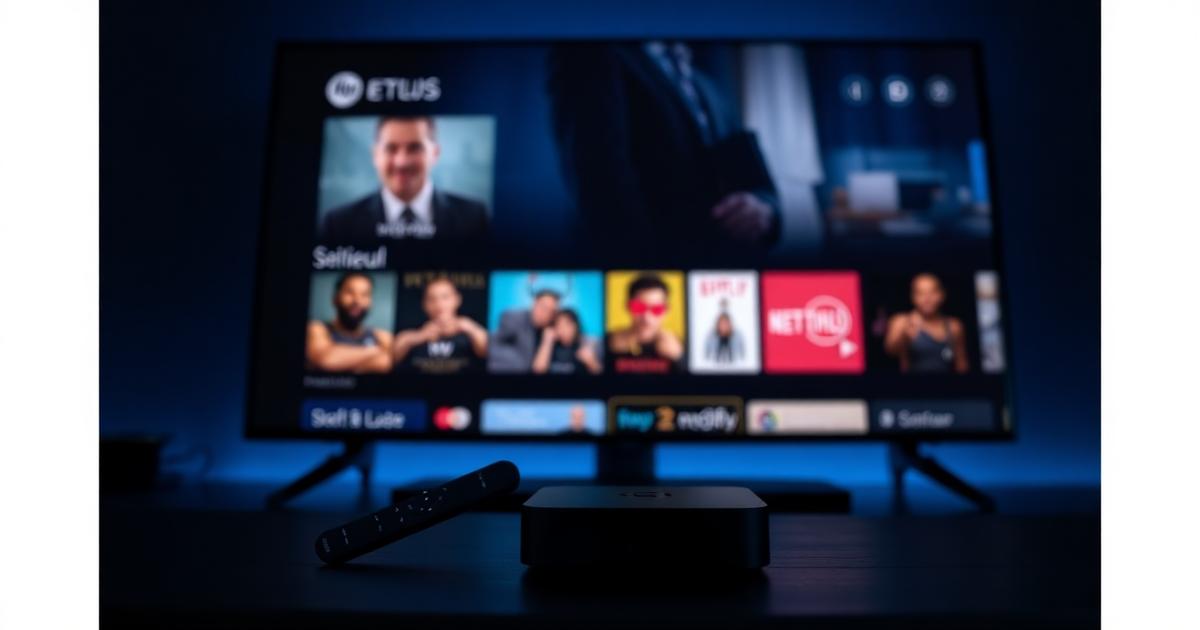
Quick answer
An IPTV box is just hardware — the channels come from your subscription. A Fire TV Stick 4K Max is the best value for most homes; an Android TV box or Formuler Z11 is better if you want a smoother interface. Never buy a box advertised with "lifetime channels included". Get a subscription for your box →
Searching for an IPTV box usually means one of two things: you want to know which hardware to buy, or you were told you need a special box to watch IPTV. You don't — any device that can run a player app works, and most people already own one. Here is how the real options compare in 2026.
IPTV box options compared
| Box | Best for | Watch out for |
|---|---|---|
| Fire TV Stick 4K / 4K Max | Best value, 4K HEVC, runs Smarters Pro and TiviMate | Apps need sideloading via Downloader |
| Android TV box (Google TV certified) | Play Store apps, fast zapping, Dolby audio | Avoid no-name boxes with old Android builds |
| NVIDIA Shield TV | Smoothest interface, best upscaling, long support | Most expensive option |
| Formuler Z11 / Z-series | Purpose-built IPTV UI, excellent EPG handling | Fewer general streaming apps |
| MAG / Enigma2 | Simple set-top experience, portal-based | Dated interface, no app ecosystem |
| Apple TV 4K | Premium build, great with iOS households | Player choice is more limited |
Do you need an IPTV box at all?
No. ONETVBOX works on Samsung and LG Smart TVs, phones, tablets, Windows and Mac. Buy a box when your TV is slow, no longer receives app updates, or its store has no usable IPTV player. Our Smart TV guide covers the no-extra-hardware route.
Set up your IPTV box in five minutes
- Plug the box into HDMI and connect Ethernet, or Wi-Fi on the 5 GHz band.
- Install IPTV Smarters Pro, TiviMate or XCIPTV — on Firestick use the Downloader app (see the Firestick guide).
- Enter the Xtream Codes username, password and server URL we send you, or paste your M3U link — full steps in the Smarters Pro setup guide.
- Let the channel list and 7-day EPG download, then mark your favourite channels.
- Open a live channel and confirm it locks on in under two seconds.
Hardware specs that actually matter
- HEVC / H.265 decoding — required for 4K channels; boxes without it fall back to soft SD.
- 2 GB RAM or more — under that, player apps stutter when the EPG loads.
- Ethernet port — the single biggest fix for freezing.
- Recent Android TV / Fire OS build — old firmware breaks TLS and app updates.
- Bluetooth remote — infrared remotes make text entry and search painful.
Fixing a freezing IPTV box
| Symptom | Most likely fix |
|---|---|
| Freezing on one channel only | Source-side issue — report the channel to support |
| Freezing on everything at peak time | Wi-Fi packet loss or an oversold provider; switch to Ethernet and test again |
| Audio out of sync | Set audio output to stereo/PCM or change the player's decoder |
| Slow channel switching | Clear the app cache and reduce buffer size in player settings |
| Blank EPG | Re-download the guide and confirm the correct time zone on the box |
Persistent peak-time freezing is almost always the provider, not the box — see how anti-freeze servers work.
Frequently asked questions about IPTV boxes
What is an IPTV box?
An IPTV box is a small streaming device that connects to your TV over HDMI and runs an IPTV player app. Popular options are the Amazon Fire TV Stick, Android TV boxes, NVIDIA Shield, Formuler Z-series and MAG boxes. The box handles the app and decoding; the channels come from your IPTV subscription.
Do I need an IPTV box if I have a Smart TV?
No. If your Samsung, LG, Sony or Philips Smart TV can install an IPTV player, you can stream without extra hardware. A dedicated box is still worth it on older or slow TVs, because it gives faster channel zapping, a better guide and app updates the TV maker no longer ships.
Which is the best IPTV box in 2026?
For most people the Fire TV Stick 4K Max is the best value — cheap, fast enough for 4K HEVC and it runs IPTV Smarters Pro and TiviMate. Choose an NVIDIA Shield or a good Android TV box for the smoothest interface and Dolby audio, or a Formuler Z11 if you want a purpose-built IPTV box with a polished channel UI.
Does an IPTV box come with channels?
No, and any seller claiming a box includes lifetime channels should be avoided. The box is only hardware. Channels come from a subscription you load into the player app using Xtream Codes or an M3U link, which you can move to any other device at any time.
How do I set up an IPTV box?
Connect the box to HDMI and Wi-Fi or Ethernet, install IPTV Smarters Pro, TiviMate or XCIPTV from the app store (or sideload it on Firestick), enter the Xtream Codes username, password and server URL from your provider, wait for the channel list and guide to load, then start watching. It takes about five minutes.
Wi-Fi or Ethernet for an IPTV box?
Ethernet whenever the box supports it — a wired connection eliminates the packet loss that causes most freezing complaints. If you must use Wi-Fi, stay on the 5 GHz band and keep the box in line of sight of the router.
Already have a box? Get a ONETVBOX subscription for it → Or compare IPTV providers first.